
Web apps
Small tools that do something when a visitor uses them: a calculator, a quiz, a converter, a form, a data explorer. They are built, previewed and published the same way as a website.
Ask for a tool
Say what it computes or collects, what the visitor enters and what they see. Name the fields.
A mortgage calculator: home price, down payment, interest rate and term. Show the monthly payment, total interest, a chart of the balance by year and a yearly table.
A quiz with ten questions about coffee, one answer per question, a score at the end
A unit converter for length, weight and temperature
An RSVP form with name, email, number of guests and dietary notes, with validation
Or pick More → Build app under the message box of an empty chat and choose the kind: calculator, quiz or survey, converter or planner, form with validation, data explorer.
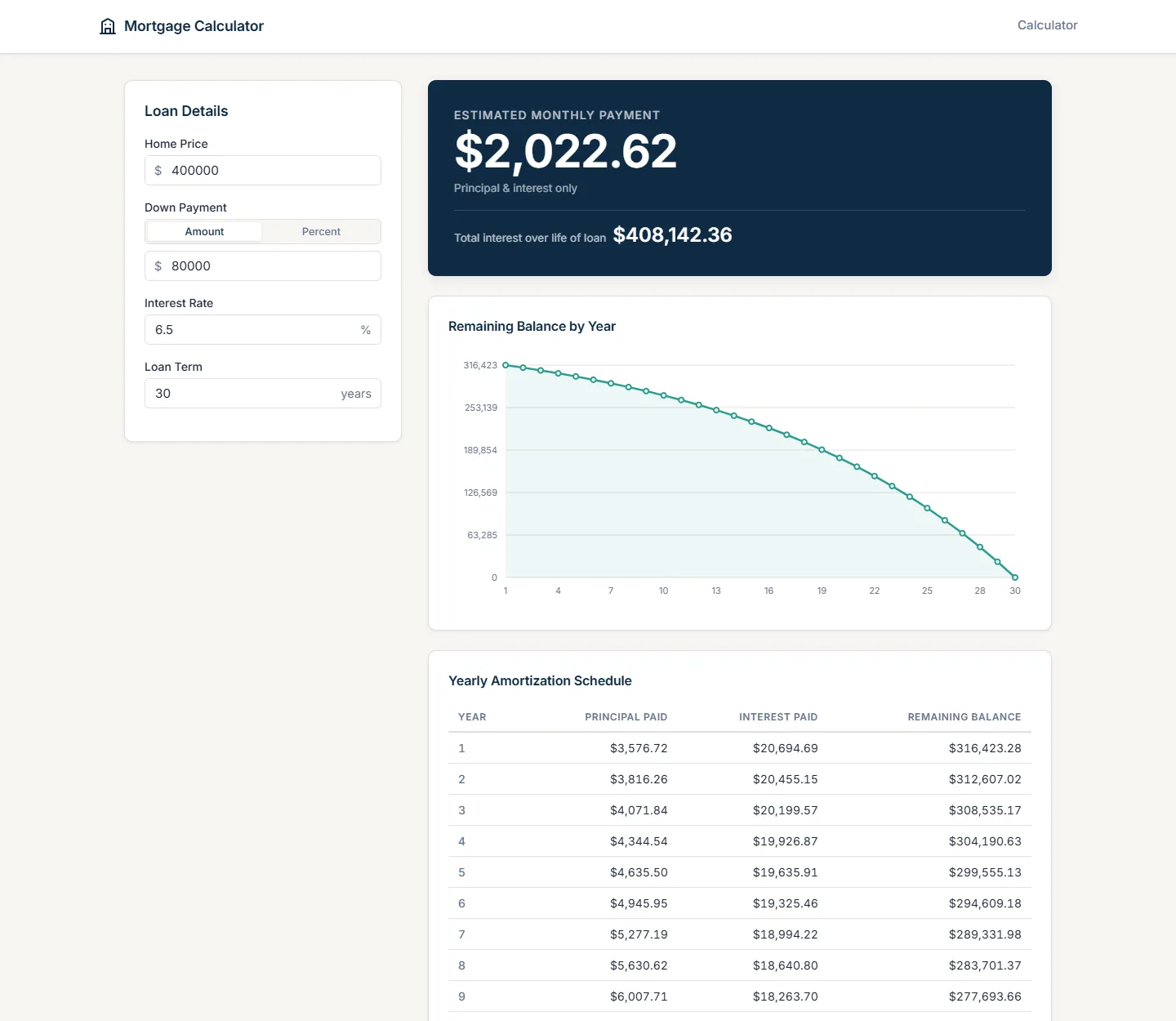
Try it in the panel
The app runs in the panel next to the chat. Type into it, press its buttons. If a result is wrong, tell Tabloy the input and what you expected: "with 5% and 30 years the monthly payment should be about $1,610".
Data explorers
In a chat with a dataset, ask for an explorer: filters, a searchable table, charts that update when the filters change. It reads the data of the chat and works from the published address too. See Dashboards and reports.
Forms
A form built here validates what the visitor types and shows what was entered. It does not send the entries anywhere by itself; say where they should go, or use the form as a prototype.
Publish
Same as a website: Publish in the panel, pick an address, Create public URL. See Publish.